AI agents
Gemini on Low-Memory Phones Is a Distribution Play, Not an AI Breakthrough
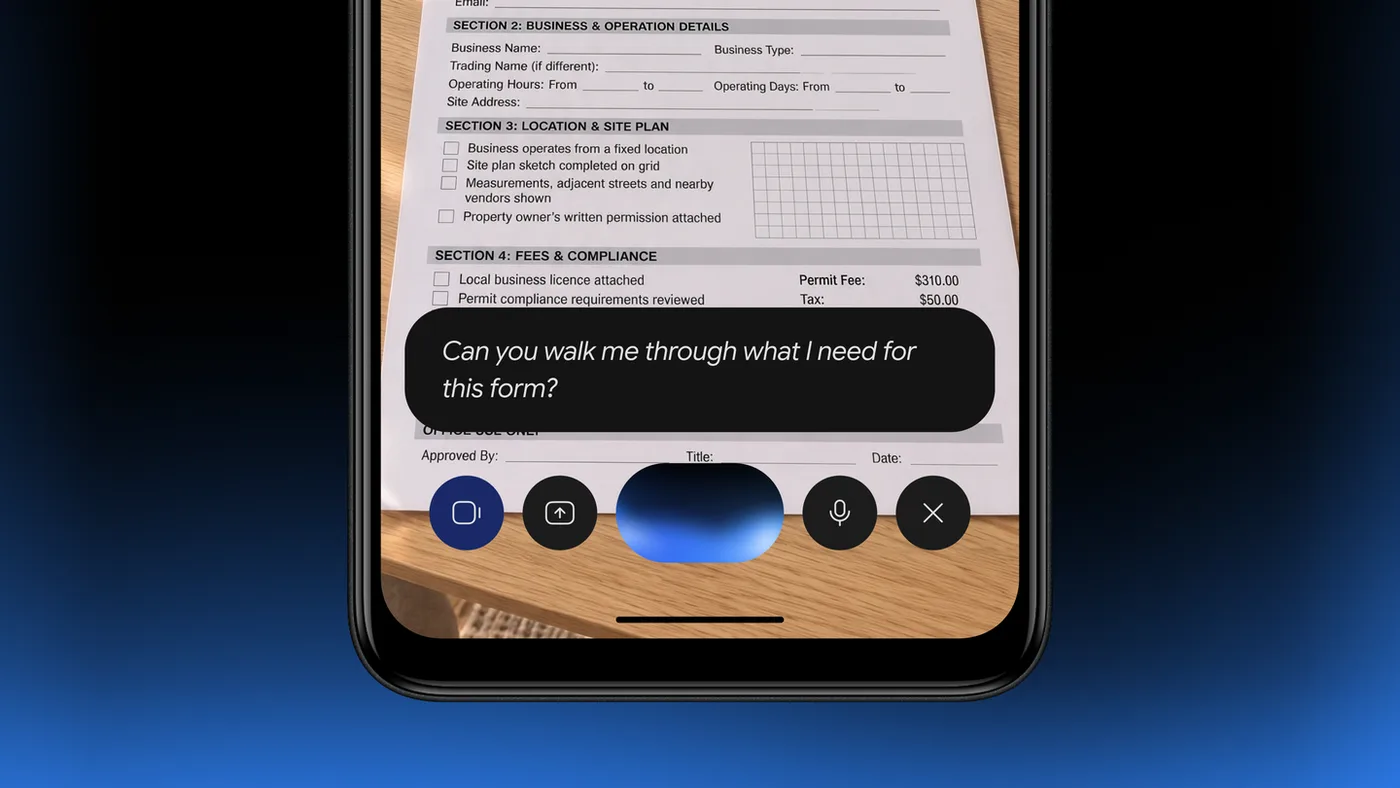
Google's announcement that the Gemini app now runs on lower-memory Android devices reads, on its face, like a democratization story: the assistant that flagship buyers got in 2024 finally reaches the phones everyone else actually owns. The post is short and cheerful, pointing users toward Gemini Live and custom image creation on hardware that previously couldn't run the app at all.
That framing is mostly true, and mostly beside the point. The interesting question isn't whether more people can install Gemini. It's why the floor existed in the first place — and what lowering it tells us about where the real constraints in mobile AI sit.
图示:来源页预览图(仅作编辑上下文;版权归属原发布方) · 来源引用:blog.google
What actually changed
The change is an engineering accommodation, not a model milestone. The two features Google leads with — Gemini Live and custom image creation — are both cloud-dependent. Live streams your audio to Google's infrastructure and streams synthesized speech back; image generation runs on datacenter accelerators, not on your Snapdragon. Neither requires the phone to hold a model in memory.
Which means the RAM requirement was never really about intelligence. It was about the app itself: the chat surface, the audio pipeline, the media handling, the animation and rendering layers, the cached assets. Getting Gemini onto 3GB-class hardware is a story about shrinking a client, not about making a model fit into a smaller box. That's genuinely hard engineering work — but it's the kind of work that has a known playbook, and Google has run it before with its "Go" line of lightweight apps across Search, Maps, Gallery, and Assistant.
So the honest headline is narrower than "AI for everyone." It's closer to: Google finished optimizing a client so it can run on the long tail of Android hardware.
Why that's still a big deal
Narrow doesn't mean unimportant. The memory floor of an app is one of the most effective gatekeepers in consumer software, and it operates silently. Nobody writes a review saying "I couldn't download this." They just don't appear in the metrics — which means a product team can convince itself that its user base is the one that could afford flagship hardware, and build accordingly. That feedback loop has shaped mobile software for a decade.
Lowering the floor breaks the loop. The audience that gains access here is largely in price-sensitive markets — precisely the users who have the most to gain from a free, voice-first assistant, since the alternative is typing on a small screen in a second or third language. If Gemini Live works well on a budget phone, it's a genuinely different interaction model for someone who has never owned a device that could run one comfortably.
There's also a durability argument. The single best predictor of a phone's usable lifespan is not its chipset — it's whether new apps still install on it. Software that raises its hardware floor pushes functional devices toward the drawer. Software that lowers it extends their life. Google gets no credit for this in the announcement, but it's the most defensible thing in it.
The counterpoint: cloud AI on cheap phones is a two-tier product
Here's where I push back on my own enthusiasm.
A cloud-dependent assistant on a low-memory device is not the same product as a cloud-dependent assistant on a flagship. It's the same inference, delivered through a thinner client — and the thin client is exactly where the experience degrades. Audio capture quality on budget hardware is worse. Network conditions in the markets that gain access here are less reliable, and Gemini Live is useless offline in a way that a local assistant is not. Thermal throttling and aggressive background-app killing will interrupt sessions in ways that reviewers on a Pixel never see.
More fundamentally: the capability you're being given is rented. Every Gemini Live session is a round trip to Google's servers, metered by data costs that are a meaningful share of income for the users this expansion targets. Google has not made AI free; it has made the on-ramp free and the road tolled. The genuinely local tier — Gemini Nano and the on-device features built on it — remains a flagship-only story. So the expansion doesn't dissolve the divide. It moves it from "can you install the app" to "can you afford to use it, and do you get the private, low-latency version." That's progress, but it's a smaller claim than the announcement implies.
The other risk is the one nobody likes to name: expanded install base is itself a strategic asset. Default assistant placement, data collection, and habit formation all compound with reach. Google benefits from being the first AI assistant on a phone regardless of how well it runs there. Readers should hold both facts at once — the expansion can be good for users and good for Google's distribution position.
图示:HEXOPS 原创配图(受选题启发,非复制原文图片) · 来源引用:blog.google
A 30-day action plan
Whether this matters to you depends entirely on which side of the RAM line you sit on. Pick the track that fits.
Track A — individual user or small team
- Days 1–3: Establish the baseline. Identify your lowest-spec Android device. Install Gemini, and record cold-start time, whether the app survives being backgrounded, and how much storage it consumes after a week. Write the numbers down; impressions are unreliable.
- Days 4–10: Test the failure modes, not the demos. Run Gemini Live on mobile data, not Wi-Fi, in a noisy room. Try a 10-minute session and watch for thermal throttling. Try image creation on a weak connection. The demo is designed to look good; you're looking for where it breaks.
- Days 11–17: Run a cost check. Estimate monthly data consumption for your actual usage pattern and price it against your plan. If the number is uncomfortable, cap usage or restrict Live to Wi-Fi.
- Days 18–24: Decide the privacy posture. Review what you're comfortable sending to a server versus keeping local. For anything sensitive, prefer on-device tooling where it exists.
- Days 25–30: Lock in a review date. Re-test in 90 days. Client optimizations regress as features get added; the app that runs well on your phone today may not after three updates.
Track B — IT, ops, or product leads
- Days 1–5: Pull your device fleet inventory by RAM tier. You cannot make a policy for hardware you haven't counted.
- Days 6–12: Pilot on your worst supported device, not your best. If it fails there, that's your real answer.
- Days 13–20: Draft an allowlist and a data-handling rule. Decide explicitly which roles get assistant access and what categories of data are off-limits.
- Days 21–30: Instrument it. Track adoption, crash rate by device tier, and support tickets. Set a 90-day review with a kill switch if crash rates diverge across tiers.
Bottom line
This is a real and worthwhile engineering milestone, and a weaker claim than the announcement wants it to be. What shipped is a leaner client reaching more phones — good for device longevity, good for access, and strategically useful to Google. What did not ship is on-device intelligence for the people who need it most. Watch that gap, not the install ceiling.
Sources
- Google, "The Gemini app is now available on lower-memory Android devices." https://blog.google/innovation-and-ai/products/gemini-app/gemini-lower-memory-devices/
- Google, Gemini app product documentation and device requirements (Google Support).
- Prior art on low-memory Android clients: Google's "Go" editions of Search, Maps, Gallery, and Assistant.