
GEO
A familiar support thread: an AI API call returns clean JSON in curl, then throws TypeError: Failed to fetch the moment it is wired into a browser app. The reflex is to rotate the key, swap the model, or add mode: "no-cors" and hope. All three treat a negotiation problem as an authentication problem.
The same reflex shows up in GEO strategy. Teams verify that a page loads in their own browser, conclude the content is "live", and then wonder why answer engines cite competitors instead. A working client is not proof of a readable resource. Different clients run different checks before they will accept your bytes — and the ones that decide AI citations are not the ones you tested with.
"Works in curl" Proves Almost Nothing
curl is not a browser. It does not enforce the same-origin policy, does not send preflights, does not require Access-Control-Allow-Origin, and hands you the full body without asking. A 200 in the terminal tells you the endpoint exists, the credential is valid, and the network path is open. It tells you nothing about whether a browser, an embedded widget, a partner integration, or a JavaScript-executing crawler can use the result.
The GEO equivalent is the demo that works because someone is logged in. Content that appears only after a client-side fetch to an authenticated endpoint is "curl-successful" and crawler-invisible. Server-side crawlers such as most AI indexing bots never perform that fetch; they read what the HTML gave them and move on.
Figure: Editorial context image from the source page (preview only; rights remain with the publisher) · Credit / further reading: dev.to
Preflight Is the Browser's robots.txt
Before a cross-origin request with a JSON content type or custom headers, the browser sends an OPTIONS request. If the server does not answer with the right Access-Control-Allow-Origin, Access-Control-Allow-Headers, and Access-Control-Allow-Methods, the real request never leaves the machine. You see a CORS error, not a server error, and the logs on your API stay suspiciously empty.
That is a negotiation layer, exactly like robots.txt and llms.txt. It decides whether the substantive request is even attempted. When an AI crawler is disallowed in robots, or a CDN rule challenges unknown user agents, you get the same signature: nothing in your application logs, plenty of confusion in the dashboard. Debugging preflight teaches the right habit — inspect the negotiation step before touching the payload.
If you want AI answer engines to be able to quote you, publish a short, honest llms.txt at the root, keep robots directives consistent with your sitemap, and explicitly permit the agents you actually want. A blocked negotiation is cheap to fix and expensive to notice.
When the Response Arrives but Cannot Be Read
mode: "no-cors" returns an opaque response: status 0, no headers, no body. The request may have succeeded on the server. You simply are not allowed to look. This is the most underrated failure mode in technical SEO as well — content that is served but unreadable.
Examples: pricing baked into a canvas element, key specifications rendered only inside a client component that fails silently, product facts trapped in images with no alt text or caption, FAQ answers swapped in after an interaction. The bytes arrived. The meaning did not. An answer engine that cannot extract a claim cannot cite it, and a claim it cannot verify is a claim it will attribute to someone else.
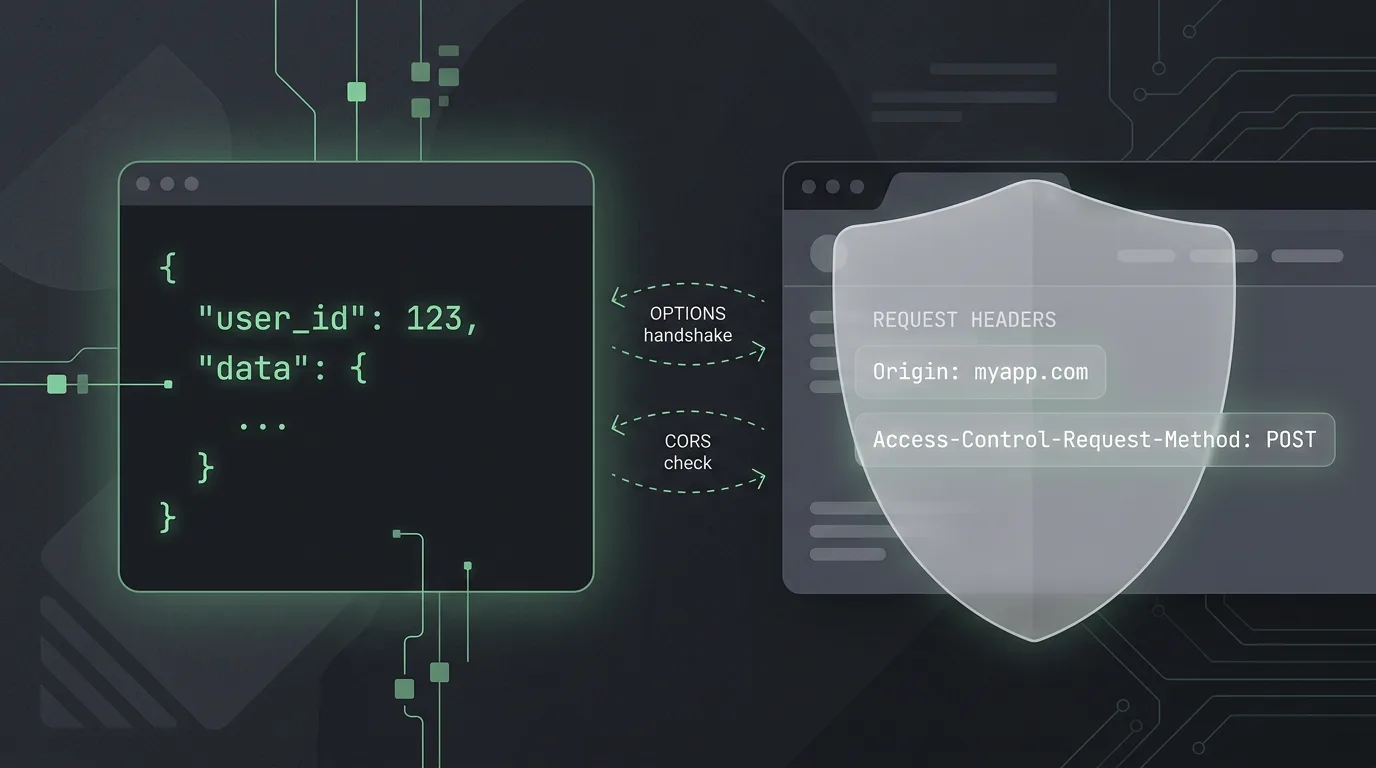
Figure: HEXOPS original illustration inspired by the topic (not a copy of the source article imagery) · Credit / further reading: dev.to
Failures That Happen Before the Request
Some browser failures never reach your application at all: ad blockers and privacy extensions, a Content Security Policy that omits your API origin, mixed content on an HTTPS page, a stale service worker, an expired token in localStorage, or a DNS resolver having a bad day. The discipline is the same in every case — capture what was actually sent before changing anything.
In GEO terms, audit what the crawler actually receives rather than what your browser renders. Fetch key URLs with an AI crawler user agent, diff raw HTML against the rendered DOM, confirm that lastmod values in the sitemap are truthful, and check that bot-mitigation rules are not quietly returning a challenge page to the exact agents you want quoting you.
A Multi-Client Checklist
- Serve the load-bearing facts in HTML first, then enhance with JavaScript. If a sentence must be citable, it should exist in the initial response.
- Ship structured data —
Product,FAQPage,Article,Organization— that matches the visible text, not a parallel universe of markup. - Publish
llms.txtas a short, accurate map of canonical resources. Link the pages you want summarized, not everything you own. - Keep URLs stable and canonical tags unambiguous. Watch for
noindexheaders accidentally applied to routes that look like API paths but serve content. - Do not require credentials or origin-locked endpoints for material you expect to be quoted.
- Test each change with four clients: curl, a headless browser, an AI crawler user agent, and a plain mobile connection.
- Log 4xx and 5xx responses by user agent so that bot-blocking shows up as a metric instead of a mystery.
Key takeaways
- A curl success proves the credential works, not that a client can consume the response.
- CORS is enforced by browsers only. AI crawlers ignore it, which means browser-only rendering — not CORS — is the real GEO risk.
- Preflight failures are negotiation failures. Fix allowlists and headers; do not rotate keys.
- Opaque and unreadable responses are the web equivalent of uncitable content.
llms.txt, robots directives, and structured data are your machine-readable contract. Treat them as infrastructure, not decoration.
Next steps
- Reproduce the failure with the actual client that broke, not with a tool that cannot fail the same way.
- Capture the outgoing request: method, origin, headers, credentials mode.
- Diff it against the working curl invocation, line by line.
- Render your twenty most commercially important pages with JavaScript disabled and check whether the core claims survive.
- Publish
llms.txt, verify robots and sitemap consistency, and monitor AI referral traffic as a first-class channel.
Sources
Further reading: AI API Works in curl but Fails in the Browser? Debug CORS and Preflight