Anthropic
What actually shipped
Kiteline is a remote control surface for coding agents. The compute stays on your machine — Claude Code, Codex and comparable command-line agents run locally — and Kiteline relays the state of that session to a phone, where you can read progress, send replies, and approve the permission prompts that agents inevitably raise. The desktop client is open source and runs on macOS, Windows and Linux. No API key is required, and you do not have to modify the agents' own configuration.
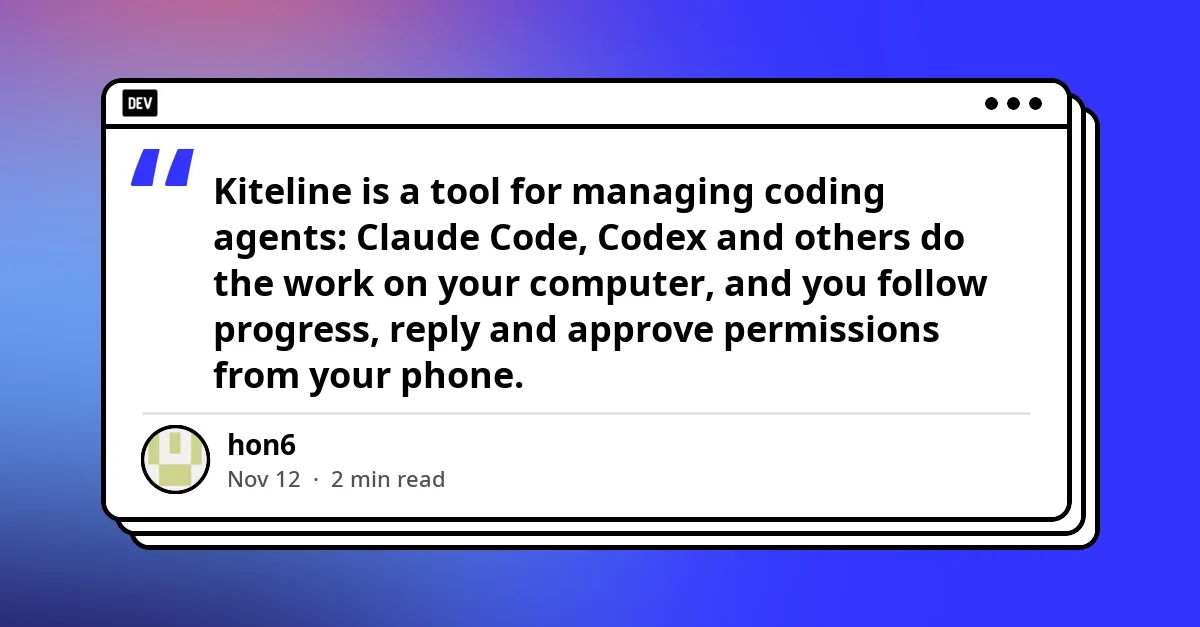
Figure: Editorial context image from the source page (preview only; rights remain with the publisher) · Credit / further reading: dev.to
Until this week the mobile side was Apple-only: iPhone, iPad and Apple Watch. The update adds a WeChat Mini Program. That single decision changes the addressable audience from people with an iPhone and the willingness to install a second app, to anyone with WeChat — which in practice means Android users, plus a large group of people who simply will not install yet another app for a workflow they touch a few times a day.
Pairing follows a familiar pattern: run the desktop side, open the pairing QR code in its settings, then open the Kiteline Mini Program in WeChat — the entry code lives on the project's website and in the GitHub README — and either scan the code or type the address to pair.
Why WeChat is the interesting part
Mini Programs are not a neutral distribution channel. They are a sandboxed runtime inside a super-app: no app store review, no install friction, no home-screen icon — but also no direct access to the OS-level capabilities a native app enjoys. For a tool whose entire job is approving agent permissions, that trade-off is the story.
There are two readings.
The generous one: this is a distribution unlock. Android has been the majority of the global phone market for years, and a large share of that majority sits in markets where a super-app is the default surface for anything that is not a game or a bank. If your agent runs on a laptop and you want to babysit it from a queue, a taxi or a meeting, the question is not which app to install but what you can open in two seconds. A Mini Program is a two-second open.
The cautious one: Mini Programs come with session limits, background restrictions and platform rules that change without notice. A tool that needs to tell you an agent is blocked waiting for approval has to work around whatever notification semantics the platform allows. That is an engineering problem the project will have to solve in public, and it is exactly the kind of thing that looks fine in a demo and rough at two in the morning.
Why builders should care
The interesting shift here is not WeChat specifically — it is the shape of the workflow. Agentic coding tools have moved from chat window that suggests code to process that runs for twenty minutes, edits sixteen files, and stops to ask whether it may run a command. Once the agent becomes a long-running process, the human's job becomes supervision, and supervision is a mobile-shaped job. You do not want to be chained to the desk to say yes, run the tests.
Kiteline's bet is that the relay should be thin: your machine holds the keys, the phone holds the steering wheel. No API key on the phone, no agent reconfiguration, no cloud copy of your repository. That is a meaningfully different architecture from the hosted agent-in-the-cloud products, and it is the one that survives contact with teams who cannot ship their source to a third party.
The WeChat Mini Program also quietly answers a common objection: I would try this, but I am on Android. Until now, that objection was correct.
The pairing model is the trust model
Figure: HEXOPS original illustration inspired by the topic (not a copy of the source article imagery) · Credit / further reading: dev.to
A QR-code pairing flow is now standard for local-first tools, and it is worth being explicit about what it means. The desktop side generates the credential, the phone presents it, and any relay in between should see a scoped session rather than your keys. The security posture of the whole system therefore collapses to a single question: what can a paired device do, and how fast can you unpair it?
For anyone deploying this inside a company, that question has a boring but non-negotiable answer. Pairing must be revocable from the desktop without touching the phone. Session scope should be limited to a single agent run wherever possible. And the audit trail must show every approval with a timestamp and the exact command that was approved. The project publishes the desktop client as open source, which makes these properties checkable rather than promised — a real advantage over closed relay services, provided someone actually reads the code.
What to watch next
Three things will decide whether this update matters beyond a launch post.
First, notification reliability. If an approval request can sit unseen because the Mini Program cannot wake the phone, users will drift back to the desktop.
Second, the Android story outside WeChat. A Mini Program is a workaround for install friction, not a substitute for a native Android client in markets where WeChat is not the default. Watch whether a standalone Android build follows.
Third, whether other agent managers copy the pattern. Relay-plus-phone-approval is becoming a category convention; the differentiator will be which platforms you can reach without asking the user to install anything.
Key takeaways
- Kiteline added a WeChat Mini Program, extending phone-side control from Apple-only (iPhone, iPad, Watch) to Android users and anyone unwilling to install an app.
- The architecture stays local-first: agents run on your machine, no API key lives on the phone, and agent configuration is untouched.
- Pairing is a QR-code handshake initiated from the desktop settings; the Mini Program entry point is on the project site and in the GitHub README.
- Mini Program platform constraints — session limits, background and notification rules — are the main technical risk for a tool built around time-sensitive approval prompts.
- The real signal is workflow shape: long-running agents turn supervision into a mobile task, and thin relays now compete directly with hosted cloud agents.
Next steps
- If you already run agents locally, pair a device and test the failure mode you care about: an approval prompt that arrives while your phone is locked.
- Teams should define a pairing policy before rollout — who may pair, how sessions are scoped, and how revocation is verified.
- Track the project's issue tracker for notification behaviour on Android and for any standalone Android client.
- Compare against hosted agent platforms on the axis that matters: where the code and the keys actually live.
Sources
- Kiteline now runs as a WeChat Mini Program — dev.to